Thursday, 11 October 2012

Research: News title sequence

After having completed most things of our blogger checklist, I thought now would be a great time to start talking about examples of news title sequences such as the BBC, SKY and ITV and how they have used transitions to put all the pieces together to make a beautiful picture. The surroundings and setting of the title sequence they have used, Furthermore the use of the colours they have gone with as each news organisation have their own theme colours to represent them and give them their image, and also the length of their title sequence which usually is under a minute in the real world and simply from analysing these news title sequences it has inspired, influenced and motivated me to learn from the current ideas and be able to implement my own original style for our own news title sequence "CLN"

starting with BBC i will be going to analyse how their news title sequence is introduced and so on:
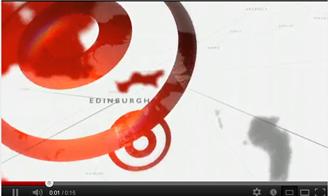
Here as you can see at the start of the clip you get an immediate birds eye view shot looking down at the globe with a name of a city and shapes of different countries which gradually zooms down on them.


Then the camera starts spinning on different angles of the globe giving us a 360 view with effects of white and some hints of black rotating circle lines engraved deep on the surface of the globe, which gives of fine details making it look like whirlpools, furthermore the globe at this point is really big and is covering the majority parts of the screen where its hiding the BBC logo on the bottom left which then starts to emerge in the next screen shot.


We then move onto seeing a combination of white and black spiral lines wrapped around the globe where the globe is also split into levels of swirls with the same colour as the actual BBC logo where the BBC logo then suddenly pops up from the bottom left corner shortly after the globe shrinks in size to focus the attention on the logo with the three individual letters in their own box and "NEWS" written in block capitals in white with a square background coloured in orange.


Lastly after the BBC logo has been noticed it then starts to disappear and the globe starts to rotate to another part with swirl lines going all the way from the top to the bottom and slowly fades away.


I will now move onto Sky and analyse their title sequence and how they went about it:

Here as you can see at the start you can already tell that blue is the primary colour in the sky title sequence from the different shades of blue spread around the start of the clip from the earths view from space with a white line run across the globe and the effect of the sun used as a light source from the edge of the earth.
You then start to see the sky banner appearing from the side in a diagonal slanted view with the word "sky" in black bold font on a white background and the "news" written in bold white font on a red background while still seeing the earths view in the surrounding.
Then the sky banner continues to come out and labels itself at the centre of the picture with streaks of light blue lines run across from side to side and top to bottom over the sky banner with the light still shining behind the sky banner.
After having seen the sky banner there's a rotating transition  that spins around the earth clockwise while showing us the details of the earth from space and being able to see the clouds as well as still having the swirl blue and white lines across the earth and the strong light emerging from the corner.
We then eventually get back to the starting point to the sky banner as the camera continues to spin back to it normal position, at this point the title sequence is looking at its best with the most detail on screen with the earths view in the background and the sky banner placed in the middle of it with the lights effect from the corner shining on the banner in addition to the blue and white spinning lines wrapped around the whole picture taken all in once clip.


Last but not least I will talk about the final news title sequence which belongs to ITV and their pattern in style:

Here as you can see in the beginning the first thing that's brought to our attention is the ITV logo right in the middle of the screen with the letters "ITV" belonging to themselves in black bold font on a yellow background and the word "NEWS" also left single letters are printed on white bold font however with no background and simply blended into the surrounding and also unusual is just a yellow block at the end so from
this we can tell that ITV's theme colour is yellow and a bit of white and black, we can also see at the top corner of both sides are flashing lights.

Shortly after the appearance of the ITV logo that was displayed on the screen for a few seconds it then goes to a slide transition on the left very quickly.


After the disappearance of the ITV logo we are then presented with a hallway of galleries of pictures that whatever is displayed on the cover that is the subject of the story on the news, here the transitions are very unique as it goes left and right as if your walking down past these pictures, you can see in the background that the rest of the other pictures are dark because their not the main topic in the moment so only the pictures that are displayed light up as its the
biggest headlines.

Here as you can see after going through the gallery of pictures your taken to the end of the hallway which is shown to be plates or screens that your taken into that slowly start to open up like a book and reveal something.   

Finally at the end of going through the hallway and being directed into what seems to be a portal that transfers you to a new place and as you can see in this case it takes you to the news reporters desk where he begins to talk about the news and so on.


S.M

Wednesday, 10 October 2012

Creating the Facebook page

For the first time today I decided to do a post from home and came to a verdict to finally create a Facebook page for our news channel "CLN" in order to spread the word, increase our publicity and gain more fans, this will benefit the group as it will allow us to get more attention and inform the people to understand what were about and the kind of news we cover and broadcast, by creating a facebook page were advertising our news channel to give people the knowledge they need to know and be aware of, furthermore it will also be a bonus as were attracting a larger audience helping us go viral for a good cause and lastly if people like what they see they can share the news with their friends to tell their friends so we can all be friends and stay updated on central london news as the name suggests.

CLN Facebook Page - Like & Share                                                 S.M


Setting up a twitter page for CLN


(Twitter sign up page on a blackberry smartphone)
Hi, it's Jasmine and I am now in charge of running the CLN twitter page. As most big news sites have several social network platforms as another way of interacting with their audience, we felt we would follow and do the same by creating a twitter account for CLN.

As twitter is blocked from our school computers, I had to create an account on my phone. 
 So we decided the username should be '@CLN247'  to stand for Central London News 24/7, as twitter has a purpose of communicating on a 24 hour basis.

(Accessing the CLN twitter on my phone)


As I have my own personal twitter on my phone, I have to switch betweeen my personal account and the CLN twitter page when I need to tweet something on the page. If I am signed on to the twitter account on my phone, it will be easier for me to access on a 24 hour basis and during school time. 

#J.A


Paper based questionnaire


Here is a collection of questionnaire's I created for our news channel "CLN" to get peoples perspectives on news and their likes and dislikes about the media and any improvements they can think of to make watching news more enjoyable, the questionnaires that were made consist of 8 questions printed on plain white A4 paper, each set of questionnaire was a total of 2 sheets stapled together, in conclusion we now have a paper based questionnaire in addition to recording some peoples responses to news related questions, furthermore we kept our paper based questionaire confidential due to the data protection act for safety reasons however nevertheless our on camera questionaire interview did mention some of the candidates names.

S.M

"CLN" News Questionnaire
Here is a quick glimpse of the paper based questionaire I created - not the full version


Tuesday, 9 October 2012

Film Planning

In today's lesson I will be talking about our filming plan and the ideas we have come up with as a group, we have established that the location for our filming is going to be set in London Piccadilly circus due to the famous landmarks the area presents that brings so many people every year around the world for its exquisite lights and the screens that are displayed on the buildings, a place welcoming everyone from all ages and races which is good as it relates back to the purpose of our news channel.

The group and i will film through the end of the day towards the start of the night so we can see the change in vision from the effects of the lights in the dark which will help to bring out the whole setting, in the process of filming we may also record other material that would benefit our filming and compliment our news channel so that once we get that over and done with, we can then decide what parts we want to keep or delete and edit it accordingly.

Furthermore I will also produce a visual interpretation of our filming planning in terms of location filming sheets and production schedules through use of pictures.


S.M


Thursday, 4 October 2012

Uploading CLN Music to Youtube

Today I found the time to upload our CLN Music for our title sequence to youtube. I edited the video by putting our CLN logo on the video as the opening sequence music is playing. As you can see below are the screen shots of how I achieved this and how I uploaded this on youtube, imovie  allowed me to do many things to achieve this with different editing techniques and other features I could've used.

By Akin Aydin


CLN blogger on your mobile phone!

Today I found out that we were able to get e blogger on our mobile phones through download via app stores from BB app-world or simply change the settings on the e blogger website to be given permission to access it on our phones, this has turned out to be really good as it has made work more efficient so now the group and I can blog on the go whenever and wherever, blogging has never been easier, here is a quick preview of what the blog looks like on a handheld device.

www.centrallondonnews.blogspot.co.uk

                                                                             S.M